
All below actions are for VMware Admin permissions only:
Step 1) Select the Host > Configure> Networking> Virtual Switch > Select the appropriate Virtual Switch and click on Edit
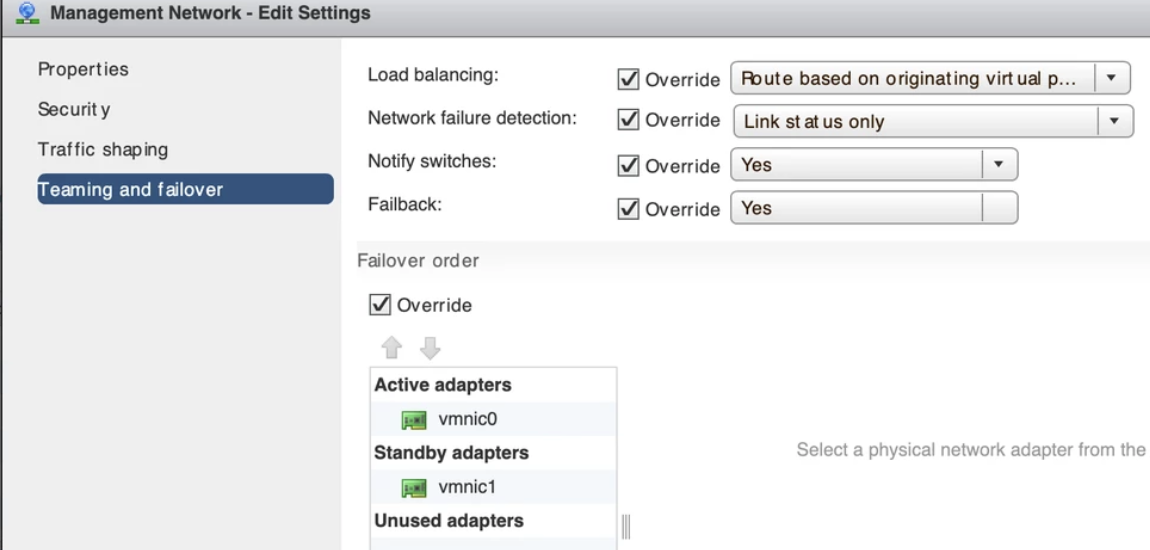
Step 2) In Edit setting Select ‘Teaming and failover’ option
Move Down ‘vmnic1 or Desired vmnic’ from ‘Active Adapters’ group to ‘Standby Adapters’ group – Using the Blue colored up and Down arrows under Failover order section. and Click ‘OK’.
Below screenshot shows the final settings
 My Tech Library